Quick answer: pay once and record forever with the Reolink Argus 4 Pro. On a tighter budget, the Wyze Cam v4 plus a microSD card gets it done, and the eufy SoloCam S340 keeps all footage on-site.
Our Top Picks at a Glance
Every camera on this page works with no monthly subscription. Buy it once, plug it in, and it records to local storage or a free cloud tier. No credit card on file, no annual renewal, no footage held hostage behind a paywall. Here are our three standouts.
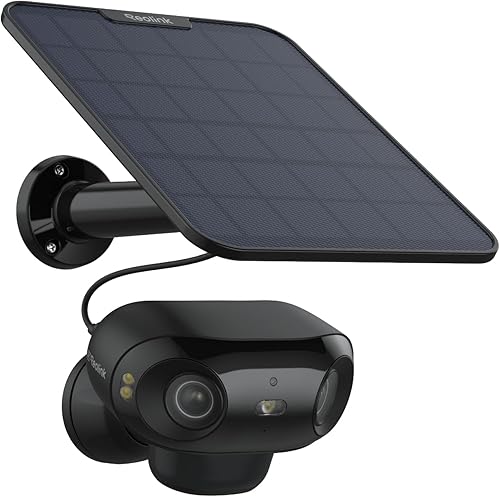
Reolink Argus 4 Pro
4K resolution, a 180° ultra-wide view, color night vision, and on-device person and vehicle detection. Records to microSD or an optional Reolink NVR with zero ongoing fees. Add the solar panel and you're fully wire-free.
View on Amazon →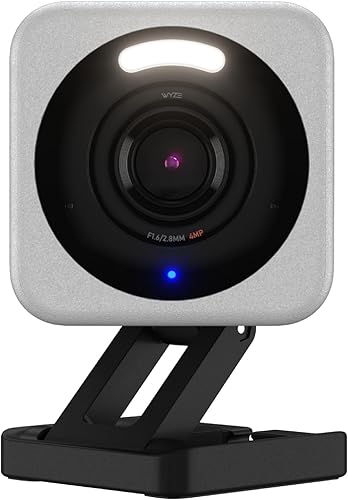
Wyze Cam v4
At its low price, nothing else comes close. 2.5K resolution, starlight night vision, person and pet detection, and a free cloud tier for 12-second event clips. Pop in a microSD card for continuous recording with no subscription needed.
See it on Amazon →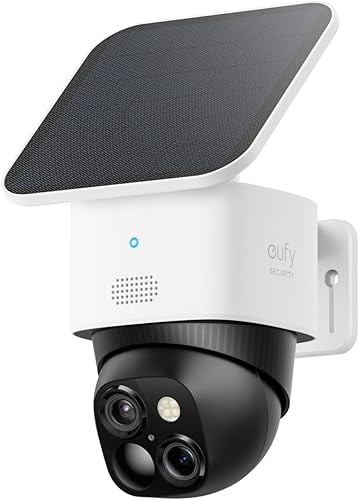
eufy SoloCam S340
3K dual-lens solar camera with 8x hybrid zoom and 360° pan-tilt. Records locally to 8GB of built-in storage or the optional HomeBase 3. AI processing happens on-device. No cloud, no subscription, no wires.
Check it on Amazon →Full Comparison Table
All seven cameras below work without a paid subscription. Click any column header to sort. Green highlights indicate standout values.
| Camera | Resolution | Storage Type | Smart Features | Ecosystem | Price | Link |
|---|---|---|---|---|---|---|
| Reolink Argus 4 Pro | 4K UHD | microSD / NVR | Person, vehicle, animal detection (on-device) | Alexa, Google | $$$ | View |
| Wyze Cam v4 | 2.5K | Free cloud tier + microSD | Person, pet, package detection | Alexa, Google | $ | View |
| eufy SoloCam S340 | 3K | 8GB built-in / optional HomeBase 3 | Person, vehicle, pet detection (on-device AI) | Alexa, Google | $$$ | View |
| TP-Link Tapo C545D | Dual 2K | microSD + optional cloud | Person, vehicle detection, line crossing | Alexa, Google | $$ | View |
| Eve Outdoor Cam | 1080p | HomeKit Secure Video (iCloud) | Person, vehicle, animal detection (HomeKit) | HomeKit only | $$$ | View |
| REOLINK 4K Pan & Tilt | 4K UHD | microSD / NVR | Person, vehicle detection, pan/tilt/3x zoom | Alexa, Google | $$ | View |
| eufy Indoor Cam S350 | 4K | microSD local storage | Person detection, dual-lens, auto tracking | Alexa, Google | $$ | View |
Price tiers are approximate. $ = under $50, $$ = $50 to 150, $$$ = $150 to 300, $$$$ = over $300. Tap any link for the current Amazon price.
What No-Sub Owners Actually Report
"No subscription" is easy to claim and hard to verify, so here's what verified buyers say after they've actually lived with local storage setups, paraphrased from top-helpful Amazon reviews and re-checked August 2, 2026.
Reolink Argus 4 Pro (3.8 stars from verified buyers)
Verified owners single out the 180-degree field of view, the price, and footage that stays local, with no account required to get started. One buyer returned two units over the camera repeatedly shutting itself off. Read the 1-3 star reviews on the exact sync behavior before you commit. One honest caveat: its 3.8-star average is below the 4.2 floor we apply to new picks; it holds this spot because the zero-fee 4K field of view has no higher-rated equal right now, and we recheck the listing monthly.
Wyze Cam v4 (4.4 stars from verified buyers)
Owners running it purely on an SD card recommend exactly that setup without hesitation. The important footnote from 4-star reviews: the AI detection features want a subscription, or you just drop in a microSD card. Local recording still works fine without a plan.
eufy SoloCam S340 (4.3 stars from verified buyers)
The top-helpful review makes the sub story plain: no monthly subscription required, full stop. Other owners report the solar charging keeping the battery topped off and the on-device AI limiting alerts to actual humans. One 4-star buyer's tip: mount the camera at an angle to the approach path, because head-on motion sometimes goes undetected.
TP-Link Tapo C545D (4.4 stars from verified buyers)
The C545D holds a 4.4-star verified-buyer average, and the no-fee claim is in TP-Link's own spec sheet: motion clips record to a microSD card (up to 512 GB) with no plan attached, and the person, vehicle and pet detection runs without a subscription too. Two 2K lenses share one IP66 housing, a fixed 165-degree wide view and a 6 mm telephoto on a pan/tilt mount that tracks motion and zooms up to 10.8x. Ethernet or Wi-Fi, your choice.
Eve Outdoor Cam (3.4-star verified-buyer average)
Lowest rating in the group. The positive case is simple: no monthly streaming fee if you lean on the iCloud storage you may already pay for. A recent 1-star review flags the ugly side, repeated failures during the HomeKit Wi-Fi handshake. Works well if your HomeKit setup is already stable, rough if it isn't.
REOLINK 4K Pan & Tilt (4.2 stars from verified buyers)
Owners describe stellar resolution and zoom, a responsive interface, and RTSP support that home-NVR tinkerers appreciate. A buyer using it as a baby monitor praises the resolution and the full pan-tilt-zoom control. The same review flags a fiddly microSD slot, so seat the card carefully.
eufy Indoor Cam S350 (4.4 stars from verified buyers)
Privacy-minded buyers treat it as the escape hatch from subscription systems, with zero monthly cost as the headline. Verified owners describe sharp, clear video and smooth 360-degree pan and tilt. The 4-star reviewers mention occasional glitches worth watching for.
Jacob’s read on this category
Skipping the subscription does not remove the storage decision, it hands the decision to you. The architectures on this page fail in different ways: a microSD-only camera that gets stolen takes its own evidence with it, a HomeBase or NVR keeps footage inside the house, and HomeKit Secure Video parks clips in iCloud where a thief cannot reach them. Capacity is part of the choice too, since a 128GB card holds roughly one to two weeks of footage before overwriting. Pick the architecture that matches your actual risk, then choose a camera that supports it; shopping in the other order is how people drift back into a monthly fee.
Why Avoid Subscription Cameras?
The subscription model has become the default in the security camera industry, but that doesn't mean it's the best deal for you. There are three good reasons to go subscription-free: cost, privacy, and reliability.
The Cost Problem
Monthly fees seem small in isolation. Ring Protect costs $4.99 a month for a single camera. Arlo Secure runs $7.99. Google Nest Aware is $8. On their own, these feel manageable. But security cameras are a long-term purchase, and the math changes fast.
A single Ring camera with a Protect plan runs $60 a year in subscriptions. Over three years, that's $180 in fees on top of the camera. Three cameras? $180 per year or $540 over three years. A household with five cameras is paying $300 a year just to save the footage their own cameras capture. Meanwhile, a 256GB microSD card costs $20 once and lasts for years.
The subscription-free cameras on this page span from budget to mid-range up front. After that, you pay nothing. Over a three-year span, the savings compared to subscription cameras can easily hit $200 to $500 depending on your setup.
The Privacy Concern
Cloud-dependent cameras upload your video to servers controlled by the manufacturer. A third party has access to recordings from inside and outside your home. Cloud storage has been the target of data breaches, and some manufacturers have faced scrutiny over employee access to customer footage. With local storage, your recordings stay on your property and on your network. No one else has a copy unless you choose to share it.
The Reliability Factor
Cloud cameras depend on three things working at once: your internet connection, the manufacturer's servers, and the connection between them. If any one fails, you lose the ability to save clips or receive alerts. Cameras with local storage keep recording even when your internet goes down. The footage will be waiting on the microSD card or NVR when you get back online.
Types of No-Subscription Storage
Not all subscription-free storage works the same way. Each approach has strengths and trade-offs. Here's how to pick the right one for your situation.
microSD Card Storage
The simplest and most common local storage. A microSD card slots directly into the camera and records footage on-device. Cards range from 32GB to 512GB. Most cameras support up to 256GB, which holds roughly 7 to 14 days of continuous 2K recording or several weeks of event-only clips. The downside: if someone steals the camera, they get the card too.
Cameras using microSD: Reolink Argus 4 Pro, Wyze Cam v4, TP-Link Tapo C545D, REOLINK 4K Pan & Tilt, eufy Indoor Cam S350.
NVR (Network Video Recorder)
An NVR is a dedicated recording device that sits inside your home and stores footage from multiple cameras over your local network. Reolink offers NVR systems that pair with their cameras. You can place the NVR in a closet, basement, or another secure spot, so even if a camera is stolen, the footage stays safe on the recorder. NVRs accept standard hard drives, so you can scale up to terabytes of storage.
Cameras supporting NVR: Reolink Argus 4 Pro, REOLINK 4K Pan & Tilt.
HomeKit Secure Video
Apple's approach uses your existing iCloud+ subscription (which starts at $0.99/month for 50GB). Video analysis happens locally on an Apple TV or HomePod, and encrypted clips are stored in iCloud without counting against your storage quota. For Apple households already paying for iCloud, this effectively gives you subscription-free camera storage. The catch is ecosystem lock-in. You need Apple devices, and you can only view footage through the Apple Home app.
Cameras using HomeKit Secure Video: Eve Outdoor Cam.
Free Cloud Tiers
Some manufacturers offer a basic cloud storage tier at no cost. Wyze gives you free 12-second event clips stored in the cloud for 14 days. TP-Link Tapo offers limited free cloud storage too. These free tiers work well as a backup alongside microSD, giving you a cloud copy of key moments with no monthly fee. The clips are typically short, and resolution may be limited compared to paid tiers.
Cameras with free cloud tiers: Wyze Cam v4, TP-Link Tapo C545D.
HomeBase Local Storage (eufy)
eufy's HomeBase 3 acts as a local hub with 16GB of built-in storage, expandable via USB hard drive up to 16TB. All AI processing and recording happens on the HomeBase rather than in the cloud. It sits inside your home, so footage is protected from outdoor theft. You get the security of an NVR with the smart detection capabilities that typically require cloud processing.
Cameras using HomeBase: eufy SoloCam S340, eufy Indoor Cam S350.
What You Give Up Without a Subscription
Going subscription-free isn't free of compromises. Here's an honest look at what you'll miss and whether it actually matters.
Advanced AI Features
Some of the most advanced AI features, like facial recognition, package detection, and custom activity zones with granular controls, often sit behind paid plans. Ring's person detection requires a Protect plan. Google Nest's familiar face detection requires Nest Aware+. The gap is narrowing, though. Reolink and eufy now process person, vehicle, and animal detection entirely on-device with no subscription. Wyze includes basic person detection for free. For most homeowners, the on-device AI in modern subscription-free cameras is plenty.
Extended Cloud History
Subscription plans typically offer 30 to 60 days of cloud video history. With local storage, your history is limited by card or drive capacity. A 256GB microSD card at 2K resolution gives you roughly two to three weeks of continuous recording. For most users, that's enough to catch any incident and download the relevant clip. If you need months of searchable history, a local NVR with a multi-terabyte drive is the subscription-free equivalent.
Remote Clip Access Variability
Live feeds are free to view remotely on every camera on this list. Remotely browsing and downloading recorded clips from a microSD card is where things vary. Reolink and TP-Link handle this well with smooth remote playback. Some budget cameras are slower to scrub through. Cloud-stored clips are generally faster because they're already on a server optimized for delivery.
Professional Monitoring Integration
If you want your cameras tied to a professional monitoring service that dispatches emergency responders, you'll usually need a subscription ecosystem like Ring Protect Pro or ADT. Subscription-free cameras are self-monitored: you get the alerts and decide how to respond. For most homeowners who don't want or need professional monitoring, this isn't a loss at all.
Total Cost of Ownership: Subscription vs. No-Sub
Here's a side-by-side of popular subscription cameras against their no-subscription alternatives over three years. All prices are based on single-camera plans.
| Camera | Purchase Price | Monthly Fee | Year 1 Fees | 3-Year Fees |
|---|---|---|---|---|
| Ring Stick Up Cam + Protect | $$ | $4.99/mo | $60 | $180 |
| Arlo Pro 5 + Secure | $$ | $7.99/mo | $96 | $288 |
| Google Nest Cam + Aware | $$ | $8.00/mo | $96 | $288 |
| Reolink Argus 4 Pro | $$$ | $0 | $0 | $0 |
| Wyze Cam v4 + microSD | $ | $0 | $0* | $0* |
| eufy SoloCam S340 | $$$ | $0 | $0 | $0 |
| TP-Link Tapo C545D | $$ | $0 | $0* | $0* |
* Requires a one-time 128GB microSD card purchase (about $15). MicroSD card not included with camera.
Price tiers are approximate. $ = under $50, $$ = $50 to 150, $$$ = $150 to 300, $$$$ = over $300.
The numbers speak for themselves. A single Arlo Pro 5 racks up $288 in fees over three years on top of its hardware price. A Reolink Argus 4 Pro costs its sticker price once, then $0 forever. That gap is nearly $300 per camera. Multiply by three or four cameras and you're looking at roughly a thousand dollars in savings. Even comparing budget options, a fee-free Wyze Cam v4 saves you the full $180 a Ring Protect plan would cost over the same three years.
Which No-Subscription Camera Should You Get?
The right camera depends on where you're putting it and what matters most to you. Here's our pick for each common use case.
How We Confirmed Every No-Fee Claim
The no-subscription filter ruled out a lot of well-known brands fast. We only kept cameras that record meaningfully (not just live-view) with zero monthly fee, which meant microSD, local NVR, HomeBase, or HomeKit Secure Video. We then confirmed the "no-sub" claim against each manufacturer's own support docs (not marketing pages) because several brands bury the real paywall inside "AI" or "smart alert" upsells that break the free tier after a trial. Pricing and stock got re-verified against the live Amazon listings on 2026-10-17, and owner reviews were read specifically for posts from buyers six months past purchase to catch subscription creep. Local storage specs for the top pick come from Reolink's Argus 4 Pro page, and the weather ratings follow the IEC 60529 standard. For the two most-searched fee-free brands side by side, read eufy vs Reolink; if you can run a cable, our PoE camera picks remove Wi-Fi from the equation entirely.
We don't take payment from any manufacturer. Rankings come from specs, verified sub-free behavior, and owner experience after several months of use. Spot an error? Please let us know.