Quick answer: an Alexa home starts strongest with the Ring Battery Doorbell 2K Plus at the door. Round it out with the Schlage Encode Plus as the smart lock and the Amazon Smart Thermostat as the best-value pick.
Best Alexa Ecosystem: Our Top Picks
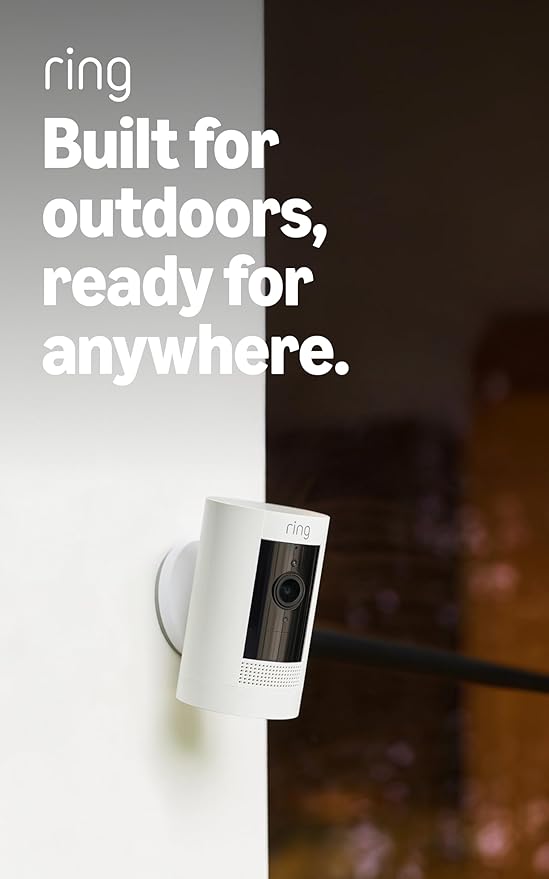
Ring Stick Up Cam
The deepest Alexa integration of any camera. Live view on any Echo Show, two-way talk through your Echo, motion alerts as voice announcements, and tight pairing with Ring Alarm.
See it on Amazon →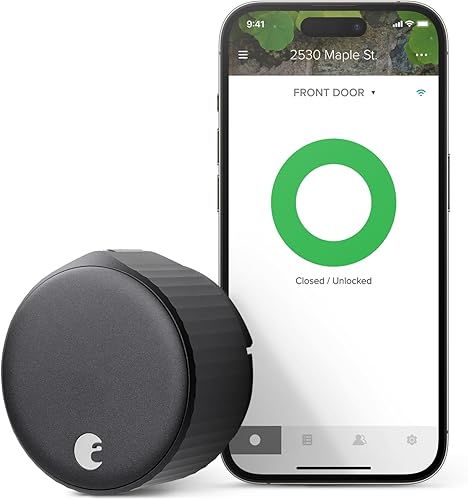
August Smart Lock
Lock and unlock by voice, auto-lock routines, and guest access through the August app. The included Connect Wi-Fi bridge handles remote access. Mounts on your existing deadbolt.
Check price on Amazon →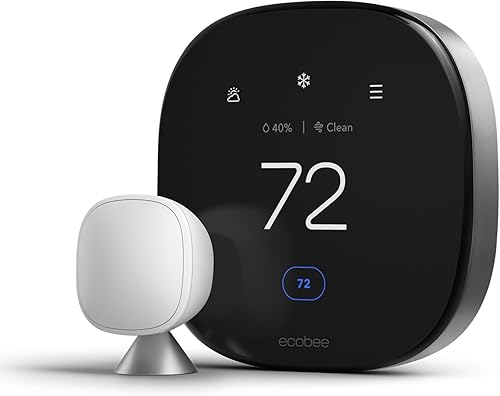
Ecobee Premium
Built-in Alexa speaker, room sensors for balanced heating and cooling, and the most granular Alexa routine triggers of any thermostat. It's an Echo and a thermostat in one.
View on Amazon →Why Build Around Alexa?
Amazon's Alexa platform has the widest device compatibility of any voice assistant. Hundreds of thousands of products work with Alexa. But compatibility alone isn't the reason to build around it. The real advantage is depth of integration. Alexa Routines let you chain device actions into automated sequences triggered by voice commands, schedules, or sensor events. When your Ring doorbell detects motion, your porch light turns on, your Echo announces who's there, and your Echo Show pulls up the camera feed. All within two seconds, and you don't touch a thing.
Amazon also owns Ring, Blink, and eero, which means those brands get Alexa features first and integrate more tightly than third-party devices. If home security is your main concern, the Ring plus Alexa stack is unmatched. The Ring Alarm Pro doubles as an eero WiFi router, so your security system and your network are literally one device.
Building around Alexa does come with trade-offs. Google Nest cameras and thermostats are off the table. Apple HomeKit-exclusive devices like Eve cameras won't work. And Amazon's platform leans heavily on cloud processing, so if local-only control matters to you, HomeKit or Home Assistant is probably a better fit. For everyone else, Alexa offers the widest device selection, the most flexible automation engine, and a price range that scales from an inexpensive Wyze Cam to a full Ring Alarm Pro security system.
The Best Alexa Hub: Which Echo?
Every Alexa smart home starts with an Echo, but not every Echo plays the same role. The Echo Show 8 (newest model) is our top recommendation for a central hub. Its 8.7-inch screen gives you live camera feeds, doorbell answers, thermostat controls, and lock status at a glance. You can swipe through a dashboard of all your devices without opening the Alexa app on your phone. On a bedroom or kitchen counter, it replaces your phone as the primary smart home interface.
If you don't need a screen, the Echo Dot handles voice commands and routine triggers at a low price and fits anywhere. For multi-room setups, scatter Dots in bedrooms and hallways so voice control reaches every room. The Echo Hub (wall-mounted, no speaker) works well as a dedicated smart home panel near your front door.
One important detail: Echo devices can act as Zigbee and Matter hubs. The Echo (4th Gen) has a built-in Zigbee radio, so devices like Philips Hue bulbs can connect directly to it without a separate Hue Bridge, and the newest Echo Show 8 ships as a built-in smart home hub with Matter support; check the listing for the radios a given Echo includes. That cuts cost and reduces the number of hubs cluttering your shelf. If you plan to run Zigbee devices, make sure your primary Echo supports it.
Cameras for Alexa
These four cameras all support live view on Echo Show devices, Alexa motion announcements, and two-way talk through Alexa. Ring and Blink offer the deepest integration as Amazon-owned brands. Wyze and Arlo give you broader cross-platform flexibility if your household also uses Google devices.
| Camera | Resolution | Power | Storage | Alexa Integration | Price | Link |
|---|---|---|---|---|---|---|
| Ring Stick Up Cam | 1080p | Battery / wired | Cloud (sub required) | Native (deepest) | $$ | View |
| Blink Outdoor 4 | 1080p | Battery (2-year) | Cloud (sub) + local | Native (deep) | $$ | View |
| Wyze Cam v4 | 2K | Wired | Cloud (free tier) + microSD | Good (skill-based) | $ | View |
| Arlo Pro 5S 2K | 2K HDR | Battery / wired | Cloud (sub) + local | Good (skill-based) | $$ | View |
Price tiers are approximate. $ = under $50, $$ = $50 to 150, $$$ = $150 to 300, $$$$ = over $300. Tap any link for the current Amazon price.
Our pick: The Ring Stick Up Cam is the default for Alexa households. It feeds directly into the Ring ecosystem, pairs with Ring Alarm, and delivers the smoothest Echo Show live-view experience. If you want better resolution without a subscription, the Wyze Cam v4 gives you 2K video and a free cloud tier. Its Alexa skill handles live viewing and announcements well, though it lacks Ring's deeper routine triggers. For the best image quality regardless of price, the Arlo Pro 5S 2K delivers 2K HDR and color night vision with solid Alexa support. For a deep-dive on all the camera options, see our full security camera comparison.
Locks for Alexa
A smart lock with Alexa voice control lets you lock up for the night with a single command, check lock status from bed, and build routines that auto-lock when you leave or when your Ring system arms. All three picks support voice locking and unlocking, status checks, and Alexa routine integration.
| Lock | Connectivity | Auto-Lock | Keypad | Alexa Integration | Price | Link |
|---|---|---|---|---|---|---|
| August Smart Lock | WiFi (included Connect bridge) | Yes | Optional add-on | Excellent | $$$ | View |
| Yale Assure Lock 2 | WiFi / Bluetooth | Yes | Built-in | Excellent | $$$ | View |
| Kwikset Halo | WiFi (no hub) | Yes | Built-in | Good | $$ | View |
Price tiers are approximate. $ = under $50, $$ = $50 to 150, $$$ = $150 to 300, $$$$ = over $300. Tap any link for the current Amazon price.
Our pick: The August Smart Lock fits over your existing deadbolt, so you keep your original keys as a backup, and the bundled Connect Wi-Fi bridge plugs into a nearby outlet to handle remote access. Voice commands through Alexa are fast and reliable, and August's auto-lock and auto-unlock features feed into Alexa routines cleanly. The Yale Assure Lock 2 is the better choice if you want a built-in keypad for guest codes. It also works natively with Ring Alarm for a fully unified security setup. The Kwikset Halo delivers solid Alexa control with a built-in keypad at the lowest price of the three. For the full lock breakdown, see our smart lock comparison.
Thermostats for Alexa
Voice-controlled thermostats are one of the most immediately useful Alexa integrations. Saying "Alexa, set the temperature to 72" from your couch is faster than walking to the wall. More importantly, thermostat routines (dropping the temperature at bedtime, warming the house before your morning alarm) save energy without any daily effort.
| Thermostat | Room Sensors | Built-in Alexa | Learning | Alexa Integration | Price | Link |
|---|---|---|---|---|---|---|
| Ecobee Premium | Yes (included) | Yes | Yes | Deepest (built-in) | $$$ | View |
| Amazon Smart Thermostat | No | No | Hunches | Excellent (native) | $$ | View |
| Honeywell X8S | Sold separately (check listing) | No | Presence sensing, doorbell view | Good | $$$ | View |
Price tiers are approximate. $ = under $50, $$ = $50 to 150, $$$ = $150 to 300, $$$$ = over $300. Tap any link for the current Amazon price.
Our pick: The Ecobee Premium is the only thermostat with Alexa built directly into the unit. It works as a standalone Echo speaker, so voice control reaches you even if your nearest Echo is in another room. The included room sensors let you balance temperature across your home instead of relying on a single reading at the thermostat. If budget is the priority, the Amazon Smart Thermostat is built by Amazon specifically for the Alexa ecosystem. It supports Alexa Hunches, which means Alexa can automatically adjust temperature based on your patterns without you building any routines. The Honeywell Home X8S Premium is the wildcard: a Matter-certified 5-inch touchscreen that senses occupancy on the device, monitors humidity, and can show a Ring doorbell feed, though it ships without room sensors and costs more than the Amazon Smart. For our full thermostat analysis, see the smart thermostat comparison.
Other Alexa Essentials
Cameras, locks, and thermostats form the core of a secure smart home, but these three products pull everything together. The Echo Show is your command center. Ring Alarm Pro provides professional-grade security monitoring. Smart lighting is the easiest routine trigger for daily automation.
| Device | Category | Key Feature | Alexa Integration | Price | Link |
|---|---|---|---|---|---|
| Echo Show 8 (newest model) | Hub / Display | 8.7" screen, camera dashboard, built-in smart home hub | Native (it IS Alexa) | $$$ | View |
| Ring Alarm Pro | Security Base | Alarm + eero WiFi router in one | Native (deepest) | $$$ | View |
| Philips Hue Starter Kit | Smart Lights | 4 bulbs + Bridge, 16M colors, Zigbee | Excellent | $$ | View |
Price tiers are approximate. $ = under $50, $$ = $50 to 150, $$$ = $150 to 300, $$$$ = over $300. Tap any link for the current Amazon price.
The Echo Show 8 is the glue that connects everything visually. Tap the screen to see all your cameras, check lock status, adjust the thermostat, and control lights. No phone needed. The Ring Alarm Pro combines a security system with an eero 6 mesh WiFi router, so every smart device in your home benefits from better WiFi coverage while your security sensors, cameras, and locks all report to one system. The Philips Hue Starter Kit gives you four color bulbs and the Hue Bridge, which gets you the most reliable smart lighting setup on the market. Hue lights respond to Alexa voice commands in under a second and support detailed automation through both the Hue app and Alexa routines.
What Alexa Households Report
There are 13 devices in this guide, but five of them carry most of the weight for a beginner Alexa build. Here's what top-helpful verified owners say about each, based on the review themes on each listing as of October 17, 2026.
Ring Stick Up Cam 4.6 stars from verified buyers
Verified-buyer sentiment here is consistently strong, with five-star ratings dominating the distribution. Multi-camera owners, including some monitoring properties out of state, report the cameras shrugging off rain and cold, with only brief early-morning lens fogging. The long-running one-star complaint is WiFi disconnects that require on-site resets, so plan your router placement before install.
August Smart Lock (3rd Gen) 4.4 stars from verified buyers
Buyers who go the retrofit route like that the outside of the door stays untouched and the original key keeps working. The critical reviews mostly describe setup friction, an adapter that needed re-seating or a Connect bridge that took a second pairing attempt before remote access settled. Expect day-one fiddling, then reliability.
Ecobee Smart Thermostat Premium 4.3 stars from verified buyers
Owners consistently call out how much control the scheduling offers compared with dumber thermostats. Several praise ecobee's customer service for walking them through a C-wire workaround using the included power extender kit. Switchers from Nest generally describe the Ecobee as an upgrade on every dimension except the app's learning curve.
Echo Show 8 (newest model) 4.3 stars from verified buyers
Kitchen use dominates the five-star feedback: owners lean on it for recipes, multiple timers, and unit conversions while cooking, and describe the 8-inch screen as the right size for video, weather, and smart home control. The 4-star caveats point to spatial audio limits for multi-device playback, which is rarely the Echo Show's main job anyway.
Philips Hue Starter Kit 4.6 stars from verified buyers
Hue draws the most positive verified-buyer sentiment of any device in this guide. Top-helpful reviewers who tried cheaper brands first describe coming back to Hue for connections that hold and dimming that doesn't flicker. One practical tip from Apple households: pair the Bridge directly from the Apple Home app rather than through the Hue app for HomeKit to pick it up.
Jacob’s read on this category
Build the Alexa house in the order this page is laid out, not in order of excitement. The hub choice comes first because an Echo Show changes what every later purchase is worth: camera feeds and doorbell answers land on its screen instead of buried in a phone app. The routines section near the end is the real payoff; a lock, a thermostat, and a camera that each work alone are a gadget drawer, while the same three tied into one goodnight routine are a system. Buy one device per category from the vetted list, and skip duplicates until your first few routines fire reliably.
Alexa Routines: Tying It All Together
Individual smart devices are useful. A group of smart devices working together through routines is where a smart home stops feeling like a gimmick. Alexa Routines are what separate a collection of gadgets from an actual smart home. Here are the routines that make the biggest daily impact with the devices in this guide.
"Alexa, goodnight." One voice command locks all doors (August or Yale), arms your Ring Alarm, sets the Ecobee to sleeping temperature, turns off all Hue lights, and switches your Echo Show to a clock display. Building this routine takes about five minutes in the Alexa app and kills the nightly walk-through of checking every lock and light.
Motion-triggered security. When your Ring Stick Up Cam detects motion after 10 PM, Alexa turns your Hue porch light to full brightness, sends a notification to your phone, and displays the camera feed on your bedroom Echo Show. The spotlight effect deters most porch pirates before they reach the door.
"Alexa, I'm leaving." Locks all doors, arms Ring Alarm to Away mode, sets the thermostat to eco temperature, and turns off all the lights. One command replaces the mental checklist you run every time you leave the house. You can also trigger this automatically with geofencing through the Ecobee or Ring app.
Morning warm-up. Thirty minutes before your weekday alarm, Alexa raises the Ecobee to your preferred temperature and gradually brightens your Hue bedroom lights to simulate sunrise. By the time your alarm goes off, the room is warm and lit. Honestly, this routine alone justifies the cost of smart lighting for most people.
The point is that these routines stack. Each device becomes more valuable because it talks to every other device. A Ring camera alone detects motion. A Ring camera connected to Hue lights, an Echo Show, and an alarm system creates an automated security response. That interconnection is the entire reason to pick an ecosystem over buying random devices from different brands.
Alexa vs Google vs HomeKit: Quick Comparison
If you haven't committed to an ecosystem yet, here's how the three major platforms stack up for smart home control in 2026.
| Feature | Amazon Alexa | Google Home | Apple HomeKit |
|---|---|---|---|
| Compatible devices | 140,000+ | 80,000+ | 1,000+ |
| Routine automation | Most granular | Good (improved 2025) | Good (Shortcuts) |
| Voice recognition | Good | Best natural language | Good |
| Privacy / local control | Cloud-dependent | Cloud-dependent | Local processing |
| Best security stack | Ring + Blink | Nest (cameras only) | Eve (limited) |
| Display options | Echo Show (5/8/10/15) | Nest Hub (7/10) | iPad / HomePod |
| Matter support | Yes (expanding) | Yes (expanding) | Yes (expanding) |
| Entry cost (hub) | $$ (Echo Dot) | $$ (Nest Hub) | $$ (HomePod Mini) |
Price tiers are approximate. $ = under $50, $$ = $50 to 150, $$$ = $150 to 300, $$$$ = over $300. Tap any link for the current Amazon price.
Bottom line: Alexa wins on device breadth, routine flexibility, and security hardware. Google wins on voice understanding and has a cleaner app redesign. HomeKit wins on privacy and local processing but has a much smaller device selection. If you already own an iPhone, HomeKit is appealing for its tight Apple integration, but you'll find far fewer camera, lock, and thermostat options than Alexa offers. For security-focused smart homes, Alexa's Ring ecosystem has no real equivalent on the other platforms.
How This Alexa Lineup Was Vetted
This list covers devices that actually work with Alexa in 2026, not just ones marketed as "Alexa-compatible." We verified each device against the active Alexa skill listing and cross-referenced with r/alexa threads for the last 6 months. A device that technically "works with Alexa" but only supports basic on/off commands scored lower than one with full routine triggers and proactive Alexa hooks. Amazon prices were checked on October 17, 2026. Doorbell specs for the top pick were taken from Ring's doorbell lineup page, and Matter claims for the plugs and thermostat against the CSA Matter product database. Two categories we left off this list have their own guides: smart garage door openers and smart water leak detectors, both of which work with Alexa routines.
We don't accept payment from any manufacturer. Rankings weight Alexa Skill depth, voice response latency, and aggregate owner feedback. Spot an error? Let us know.