Quick answer: on picture quality the Arlo Pro 5S 2K is the honest winner; build around the Ring Stick Up Cam instead if a cheap whole-home Alexa rig matters more than resolution.
Bottom Line
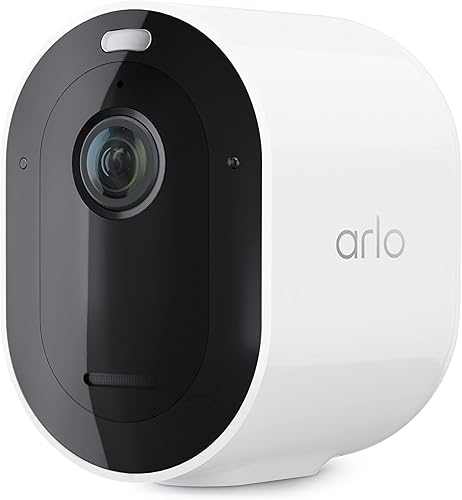
Video Quality & Flexibility
Sharper cameras across the lineup (2K and 4K vs Ring's 1080p base models), universal smart home compatibility, and usable local storage without a subscription. If picture quality matters and you don't live in an Alexa-only house, Arlo is the better system.
See Arlo Pro 5S 2K →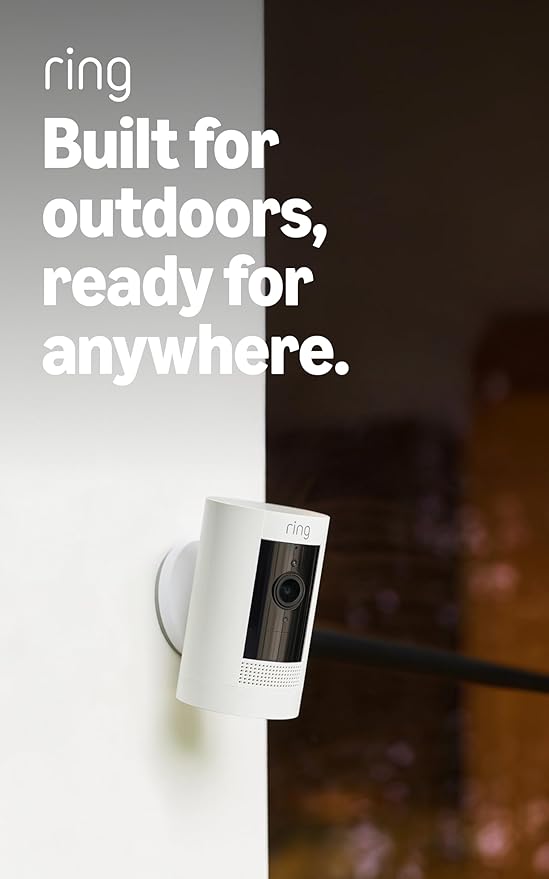
Price & Alexa Integration
Lower camera prices, a single $9.99/month plan (Ring Multi) that covers every Ring device at one address, and the tightest Alexa integration of any camera brand. If you already own Echo Shows and want cheap whole-home coverage, Ring is hard to beat on total cost.
See Ring Stick Up Cam →That's the short version. The longer version means pulling apart six cameras, two subscription tiers, and two very different takes on smart home integration. Let's get into it.
Ecosystem Head-to-Head
Before getting into individual cameras, here's what actually matters. Ring and Arlo aren't simply camera brands. They're ecosystems with different philosophies. Ring locks you into Alexa. Arlo lets you pick.
| Feature | Ring | Arlo |
|---|---|---|
| Camera price range | $$ to $$$ | $$ to $$$ |
| Video resolution range | 1080p – 1536p | 1080p – 4K |
| Voice assistant | Alexa only | Alexa, Google, Siri (HomeKit) |
| Apple HomeKit | No | Yes (Pro 4, Pro 5, Ultra 2) |
| Cloud storage without sub | None (live view only) | Trial period on some models |
| Local storage | No | Yes (USB via SmartHub) |
| Subscription (per camera) | $4.99/mo | $9.99/mo |
| Subscription (all cameras) | $9.99/mo (Ring Multi) | $19.99/mo (Arlo Secure, unlimited cameras) |
| Professional monitoring | Included in Plus plan | Separate add-on |
| Smart detection (sub) | Person, package | Person, vehicle, animal, package |
| Two-way audio | Yes | Yes |
| Doorbell options | 3+ models (budget to mid-range) | No current models |
| Alarm system integration | Ring Alarm (native) | Third-party only |
Price tiers are approximate. $ = under $50, $$ = $50 to 150, $$$ = $150 to 300, $$$$ = over $300. Tap any link for the current Amazon price.
The pattern is clear. Ring wins on price, subscription value, and Alexa-specific features. Arlo wins on video quality, smart detection, ecosystem openness, and storage flexibility. Neither is universally better. It depends entirely on what you prioritize.
Camera Lineup: Ring vs Arlo at Every Price
Both brands sell cameras across two main tiers. Here's how they stack up at each price point, because comparing a cheaper Ring to a premium Arlo isn't exactly a fair fight.
| Tier | Ring | Arlo | Winner |
|---|---|---|---|
| Mid-Range | Ring Spotlight Cam Plus 1080p, built-in spotlight, siren, motion-activated LED View |
Arlo Pro 5S 2K 2K HDR, 160° FOV, color night vision, dual-band WiFi View |
Depends. Arlo wins on specs, Ring wins on price |
| Premium | Ring Floodlight Cam Wired Plus 1080p, 2000-lumen floodlight, siren, wired power View |
Arlo Ultra 2 4K HDR, 180° FOV, color night vision, spotlight, wire-free; sold as a 2-camera kit with the required SmartHub View |
Arlo. 4K with 180° view justifies the premium |
At both tiers, Arlo delivers better hardware specifications. But Ring keeps the total cost lower, especially when you factor in the all-inclusive Ring Protect Plus plan. This is the fundamental tension of the entire comparison: better cameras vs. cheaper system.
How Owners Rate the Two in Practice
Both brands push you toward their subscription the moment you plug in. The verified-review pattern below makes it easier to see where the cameras actually earn the monthly fee, and where owners feel they're paying rent on hardware they already own.
Ring Outdoor Cam (Stick Up Cam): 4.6 stars from verified buyers
Ring's cheapest outdoor camera is also its highest-rated by a wide margin. Multi-camera owners describe easy remote viewing with two-way talk that works as advertised, and clear video and audio from the first week. The recurring complaint across four- and one-star reviews is WiFi stability on weaker networks, which reads as more of a router-placement issue than a camera defect.
Ring Spotlight Cam Plus: 4.6 stars from verified buyers
The integrated spotlight does the heavy lifting. Buyers describe the lights kicking on reliably for late-night trash runs and covering surprisingly large lots, with the battery barely moving after months on a dual-battery dock. The oldest four-star gripe that still shows up in 2026: Ring app updates sometimes reset per-camera audio volume to zero.
Ring Floodlight Cam Wired Plus: 4.7 stars from verified buyers
The Floodlight Cam draws the most consistently positive ratings in the whole Ring lineup, with five-star reviews dominating the distribution. Buyers with electrical experience call the install straightforward while warning that self-installation isn't for everyone. The recurring summary: excellent camera quality, strong lighting, and a motion detector that just works.
Arlo Pro 5S 2K: 3.9-star verified-buyer average
Arlo's newer Pro 5S listing is in its early days, but the verified reviews there split cleanly. Positive buyers praise the resolution and the automatic band switching; critical ones report heavy storms causing condensation that blurred the image, and two-star reviews are blunt that a pricey subscription is all but required to store video feeds. That last complaint is the Arlo experience in miniature.
Arlo Ultra 2 (4K HDR): 3.8 stars from verified buyers
The Ultra 2 splits owners harder than any other camera here. Upgraders from older Pro cameras love the super-wide angle, which catches both sides of an entry their old cameras cropped out. The long-running one-star warning: the battery drains fast on high-traffic driveways, and 4K mode chews through recharges. Worth knowing before you buy.
Jacob’s read on this category
Treat the camera price as the down payment and the subscription as the loan. The 3-year table is the honest comparison: a two-camera system's lifetime cost is set mostly by the monthly plan, and both brands gate their best detection features behind one, so the sticker gap between a Ring and an Arlo matters less than the plan you will actually keep. Battery behavior compounds the math, with owners of the 4K Arlo reporting fast drain on busy driveways, so recharge labor belongs in the price too. Run the three-year number for your camera count first, then let ecosystem fit, Alexa-first versus platform-agnostic, break the tie.
Video Quality
Winner: Arlo, and it's not close.
Ring's entire current lineup tops out at 1080p on most models. The Ring Battery Doorbell Pro goes up to 1536p. That was acceptable in 2022. In 2026, it's behind. Every competitor from Arlo to Reolink to Wyze has moved to 2K or higher across their lineups. Ring is the last major brand still shipping 1080p as the standard resolution on flagship cameras.
The Arlo Pro 5S 2K shoots 2K HDR. The Arlo Ultra 2 shoots 4K HDR with a 180-degree field of view. The difference is immediately visible. Faces are sharper at distance. License plates are readable from the end of a driveway. Digital zoom actually produces usable frames. With Ring's 1080p, zooming in on a face from 20 feet out gives you a blurry mess.
HDR matters more than most people think. If your camera faces east or west, morning or evening sun will blow out the background and turn visitors into silhouettes. Arlo's HDR on the Pro 5 and Ultra 2 handles this noticeably better than Ring's standard dynamic range.
Night vision is another Arlo advantage. The Pro 5 and Ultra 2 both have color night vision with integrated spotlights. The Ring Stick Up Cam uses basic infrared, which produces grayscale footage where you can't tell jacket colors apart, let alone read package labels. The Ring Spotlight Cam and Floodlight Cam do produce color at night thanks to their lights, but the underlying resolution is still 1080p.
If video quality is your primary concern, buy Arlo. This category isn't even a debate.
Smart Detection Features
Winner: Arlo.
Both systems require a paid subscription to get their full AI detection capabilities. But what you get for that subscription is wildly different.
Ring Protect unlocks person detection and package detection. It works, but the detection categories are limited. You get motion zones, motion scheduling, and snapshot capture. Ring's person detection is reliable, but the camera can't tell the difference between a person and a vehicle. It either sees a person or flags generic motion.
Arlo Secure detects people, vehicles, animals, and packages as separate categories. You can set up notifications that fire only when a vehicle enters your driveway, or only when an animal walks through your yard. Arlo also has auto-zoom and tracking, which keeps a moving subject centered in the frame. On the Pro 5 and Ultra 2, the AI is noticeably more granular.
Arlo Secure also includes activity zones that trigger specific actions per zone. Your driveway zone alerts on vehicles. Your porch zone alerts on packages. Your yard zone ignores the neighbor's dog while still flagging people. Ring has motion zones too, but they lack the per-zone object filtering that makes Arlo's system significantly more useful for cutting false alerts.
Both systems get the occasional false positive (shadows, headlight reflections, wind-blown branches). But Arlo's four-category detection means you can silence the noise for specific object types without muting everything. With Ring, you either get person alerts or you don't. There's no middle ground.
Subscription Costs: The 3-Year Truth
Winner: depends on how many cameras you own.
Hardware is the sticker price. Subscriptions are the real cost. Here's what each system actually runs over three years, since that's roughly how long before most people start thinking about upgrading.
2-Camera Premium System (3 Years)
| Cost | Ring (2x Floodlight Cam) | Arlo (2x Ultra 2) |
|---|---|---|
| Camera hardware | $$$ tier (2 cameras) | $$$ tier, top end (2 cameras) |
| Subscription (36 mo) | $360 (Ring Multi @ $9.99/mo) | $720 (unlimited cameras @ $19.99/mo) |
| 3-year total | Roughly $800+ | Roughly $1,200+ |
Price tiers are approximate. $ = under $50, $$ = $50 to 150, $$$ = $150 to 300, $$$$ = over $300.
At the premium tier, Ring's cost advantage is substantial. Roughly $400 less over three years. But you're comparing a 1080p floodlight camera to a 4K wire-free camera with a 180-degree view. You get what you pay for.
Here's the critical math: Ring Multi at $9.99/month covers every Ring device at one address. If you've got four, five, or six cameras, Ring's subscription cost stays flat while Arlo's per-camera pricing keeps climbing. For large homes with a lot of cameras, Ring's subscription model is significantly cheaper. For one or two cameras, the difference is negligible.
Ecosystem: Alexa-Only vs Universal
Winner: Arlo, unless your home is 100% Alexa.
Ring is an Amazon product. This means extraordinary Alexa integration and zero compatibility with anything else. Arlo plays nice with everyone.
Ring's Alexa Integration
Ring cameras are, frankly, the best Alexa cameras you can buy. Say "Alexa, show me the front door" and your Echo Show pulls up the live feed instantly. Motion alerts pop up on your Echo Show as visual notifications. You can set routines that trigger lights, announcements, and other smart home actions when a Ring camera sees motion. The integration is tight in a way that third-party Alexa-compatible cameras simply can't match.
Ring also ties into the broader Ring family: Ring Alarm, Ring Doorbell, Ring Lighting. If you're all-in on Ring, the devices talk to each other natively. Your floodlight cam can trigger your alarm. Your doorbell can trigger an indoor camera to start recording. It's a closed ecosystem, but a well-connected one.
Arlo's Universal Approach
Arlo works with Alexa, Google Home, and Apple HomeKit. You can view Arlo camera feeds on an Echo Show, a Google Nest Hub, or in the Apple Home app. You can build automations in any ecosystem. Switch from Alexa to Google next year (or the other direction) and your cameras keep working without missing a beat.
HomeKit support specifically is a major differentiator. If anyone in your household uses an iPhone, the Home app gives you a single dashboard for cameras, locks, lights, and sensors. Ring will never support HomeKit. Amazon and Apple are not about to start cooperating on that front.
The tradeoff is that Arlo's integration with each ecosystem is good but not as deep as Ring's Alexa integration. You can view feeds and get basic notifications, but you won't find the same level of native routines and automation triggers that Ring provides inside Alexa.
Our take: if you have a mixed smart home (some Alexa, some Google, maybe some Apple), Arlo's flexibility is a massive advantage. If your house has Echo Shows in every room and Alexa runs your entire life, Ring's deep integration is genuinely better for your setup. Don't buy Ring cameras if you use Google Home. Don't buy Ring cameras if you use Apple HomeKit. It won't work. Period.
Which System Should You Choose?
Stop trying to figure out which system is "better." Figure out which system matches your situation, and go from there.
Frequently Asked Questions
Behind This Comparison
Arlo and Ring are often compared as "the two ecosystems" when in reality they make very different choices on local storage, subscription gating, and battery life. We pulled current pricing for both brands' flagship and budget models, cross-checked camera specs against manufacturer spec PDFs, and then walked the star-rating distribution on every ASIN to make sure the review themes above are representative of the broader buyer pool, not a cherry-picked five-star outlier. Stock and pricing were re-checked against the live Amazon listings on 2026-10-17. Plan prices were taken from Ring's plans page and Arlo's Secure plans page, and the Pro 5S specs from Arlo's product page.
We do not take payment from Ring, Arlo, or any brand mentioned here. If you spot an error, please let us know.